By using this site, you agree to the Privacy Policy and Terms of Use.
Accept
Turain Software Pvt. Ltd.Turain Software Pvt. Ltd.Turain Software Pvt. Ltd.
  • HOME
  • ABOUT US
  • SERVICES
    • Digital Marketing
      • Search Engine Optimization (SEO)
      • Social Media Marketing (SMM)
      • Google Paid Search (PPC)
      • YouTube Promotion
      • Content Marketing
    • Telecom / SMS Service
      • Bulk SMS Service
      • Transactional SMS
      • Rich Communication Services
      • DLT Registration
      • WhatsApp Marketing
      • OTP SMS
      • Voice SMS
      • Toll Free Number with IVR
      • Cloud Call Center Solution
    • Products
      • Biomax
      • Others
    • Web Design & Development
      • Web Development
      • E-Commerce Website
      • Informative Website
    • App Development
      • Mobile App Development
      • Web App Development
      • Custom Software Development
    • Graphics Design
  • BLOG
  • CONTACT US
Search
  • DND Search
  • Bill Track
  • Privacy Policy
  • Terms and Conditions
Copyright © 2025. All Rights Reserved Turain Software Pvt. Ltd.
Reading: TLV Parameters SMPP in Kannel
Share
Notification
Font ResizerAa
Font ResizerAa
Turain Software Pvt. Ltd.Turain Software Pvt. Ltd.
  • HOME
  • ABOUT US
  • SERVICES
    • Digital Marketing
    • Telecom / SMS Service
    • Products
    • Web Design & Development
    • App Development
    • Graphics Design
  • BLOG
  • CONTACT US
Follow US
  • DND Search
  • Bill Track
  • Privacy Policy
  • Terms and Conditions
© 2026 Copyright © 2025. All Rights Reserved Turain Software Pvt. Ltd.
Turain Software Pvt. Ltd. > Blog > Blog > TLV Parameters SMPP in Kannel
Blog

TLV Parameters SMPP in Kannel

Tarun Karan
Last updated: July 26, 2025 12:10 pm
Tarun Karan
Share
TLV Parameters SMPP in Kannel copy
SHARE

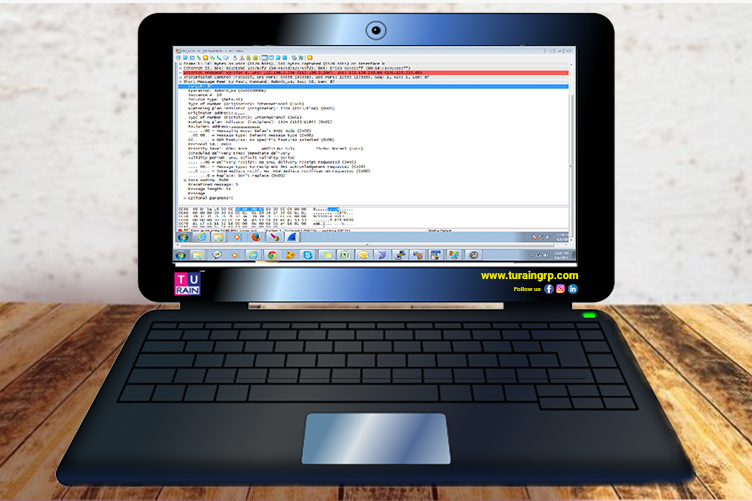
My SMS service provider asked me to set the below TLV parameters while connecting to him over SMPP: PRICEPOINT (0x1400) PRODUCT (0x1401) PARTNER ROLE ID (0x1402) How to configure the same in Kannel as it is the first time for me using this SMPP client app, I set the below data in Kannel.conf file, but when I pushed/sent a message, the gateway didn’t feel the TLV which I have set. group = smpp-tlv name = PRICEPOINT tag = 0x1400 type = integer length = 4 smsc-id = SMSC01 group = smpp-tlv name = PRODUCT tag = 0x1401 type = integer length = 4 smsc-id = SMSC01 group = smpp-tlv name = PARTNERROLEID tag = 0x1402 type = integer length = 4 smsc-id = SMSC01 You did the right thing with the configuration but what it does is that it simply informs Kannel as to what possible TLV parameters exist for the SMSC. To actually use them, you have to set the values in the sendsms call in a meta-data parameter formatted like this ?smsc-type?key1=value1&key2=value2&key3=value3… You must take into account that when constructing this string, the smsc-type, the keys and the values must be urlencoded, and then the whole resulting string has to be urlencoded again. In your case it would look something like this: http://host:port/cgi-bin/sendsms?username=user&password=password&to=recipientphone&
from=senderphone&text=content&smsc=smsc&meta-data=%3Fsmpp%3FPRICEPOINT%3D1%26PRODUCT%3D2%26PARTNERROLEID%3D3.
The %3Fsmpp%3FPRICEPOINT%3D1%26PRODUCT%3D2%26PARTNERROLEID%3D3 in the example is urlencoded ?smpp?PRICEPOINT=1&PRODUCT=2&PARTNERROLEID=3. Here’s the relevant section in the documentation: http://kannel.org/download/1.4.4/userguide-1.4.4/userguide.html#AEN6370

Tell ME About Digital Marketing for Start Up
How Today’s Corporate Meeting Planner important 10 Keys
Latest Online Casinos Australia
How Can the Restaurant and Hotel Industry Benefit from WhatsApp Marketing?
DLT Registration: TRAI has mandated all businesses that want to send SMS to register their business, headers, and templates on DLT platforms? Know more

Sign Up For Daily Newsletter

Be keep up! Get the latest breaking news delivered straight to your inbox.
* indicates required
By signing up, you agree to our Terms of Use and acknowledge the data practices in our Privacy Policy. You may unsubscribe at any time.
Share This Article
Facebook Copy Link Print
What do you think?
Angry0
Cry0
Dead0
Embarrass0
Happy0
Joy0
Love0
Sad0
Surprise0
Shy0
Sleepy0
Wink0
Previous Article bulk sms copy Bulk SMS Services
Next Article Happy New Year Text Message Ideas and Templates blog copy Happy New Year Text Message Ideas and Templates
Leave a Comment

Leave a Reply Cancel reply

Your email address will not be published. Required fields are marked *

Stay Connected

25kLike
9kFollow
3.2kFollow
Turain-Software_WhatsApp-API

Latest News

Unlocking Potential with KMS Tools in Business Networks
Blog
Lucky VIP Canada guide to live dealer and casino
Blog
Six Reasons Auditors Scrutinize KMSPico Office 2016 Use
Blog
No Id Verification Withdrawal Casino Australia
Blog

You Might also Like

Best PPC Advertising Agency in Kolkata
Blogdigital marketing

Fruitful Tips to Achieve Maximum Conversion Rates with a Well-Designed Landing Page

Tarun Karan
Tarun Karan
4 Min Read
Read More
Digital Marketing Agencies in Kolkata
Blogdigital marketing

Digital Marketing Trends 2023 – What Worked So Far

Tarun Karan
Tarun Karan
6 Min Read
Read More
Online Marketing Agency in Kolkata
Blogdigital marketing

Elevate Your B2B Marketing Game in 2024 with an Online Marketing Agency in Kolkata

Avijit Gayen
Avijit Gayen
5 Min Read
Read More

+91 9230996919
+91 6290384889

sales@turaingrp.com
support@turaingrp.com

6/12 Poddarnagar, Kolkata-700068, WB, India.

Tower 1, 36/5, Hustle hub Tech Park,

Somasundarapalya Main Rd,

Bengaluru, Karnataka 560102

Others Platform
glassdoor
yourstory
ambitionbox

Information

  • Home
  • About Us
  • Services
  • Portfolio
  • Blogs
  • Brochure

Services

  • Bulk SMS
  • WhatsApp Marketing
  • Digital Marketing
  • Web Development
  • App Development
  • Graphics Design

Other links

  • DND Search
  • Bill Track
  • Privacy Policy
  • Terms and Conditions

Registered in

msme
trai

Our Other Business

dreamlink
Copyright © 2026. All Rights Reserved Turain Software Pvt. Ltd.
Welcome Back!

Sign in to your account

Username or Email Address
Password

Lost your password?